
Research papers don’t exist in isolation. Every paper builds on prior work, introduces new methods, and connects to a web of concepts that stretches across the field. But when you’re reading abstracts one at a time, those connections are invisible.
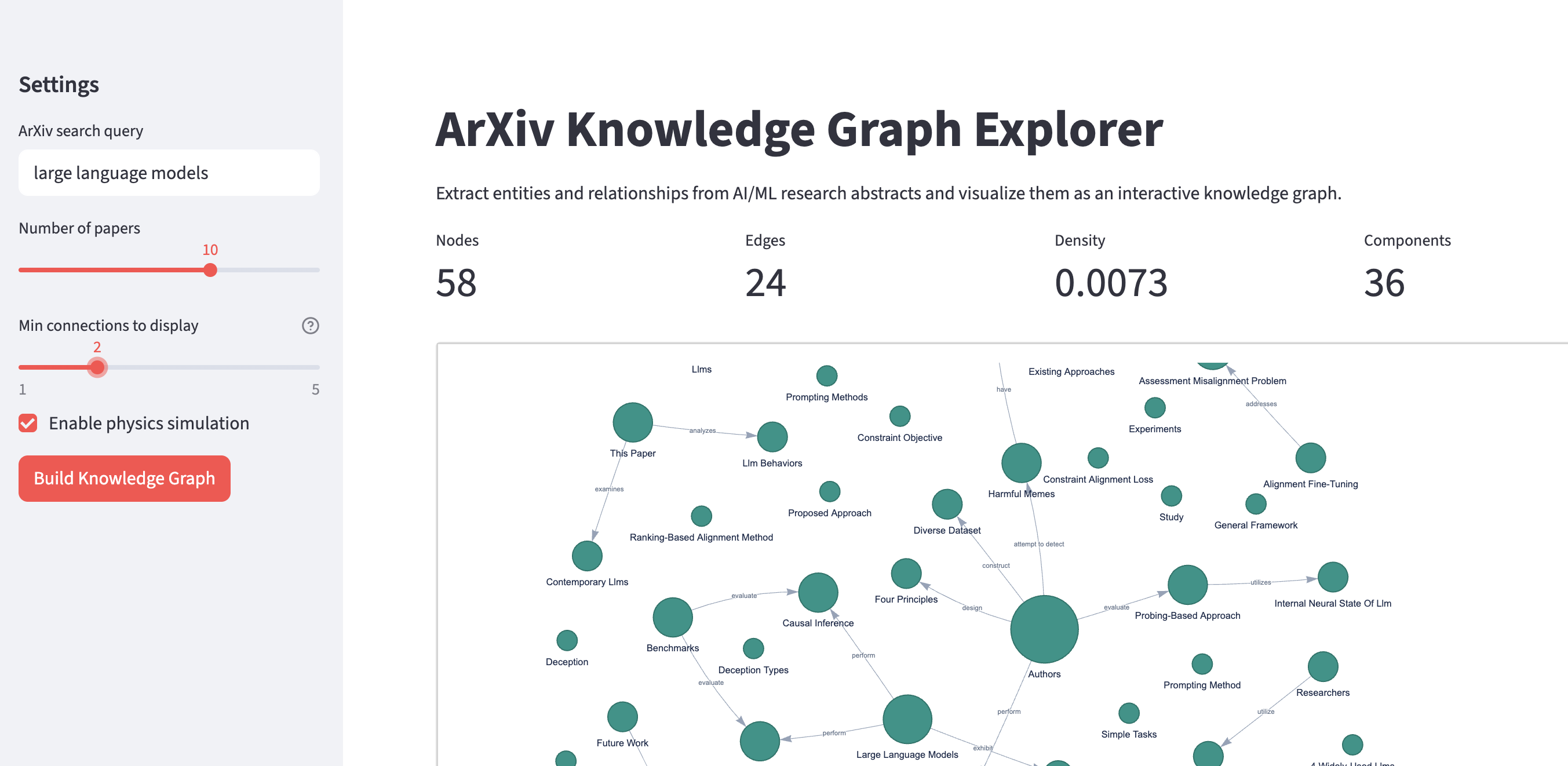
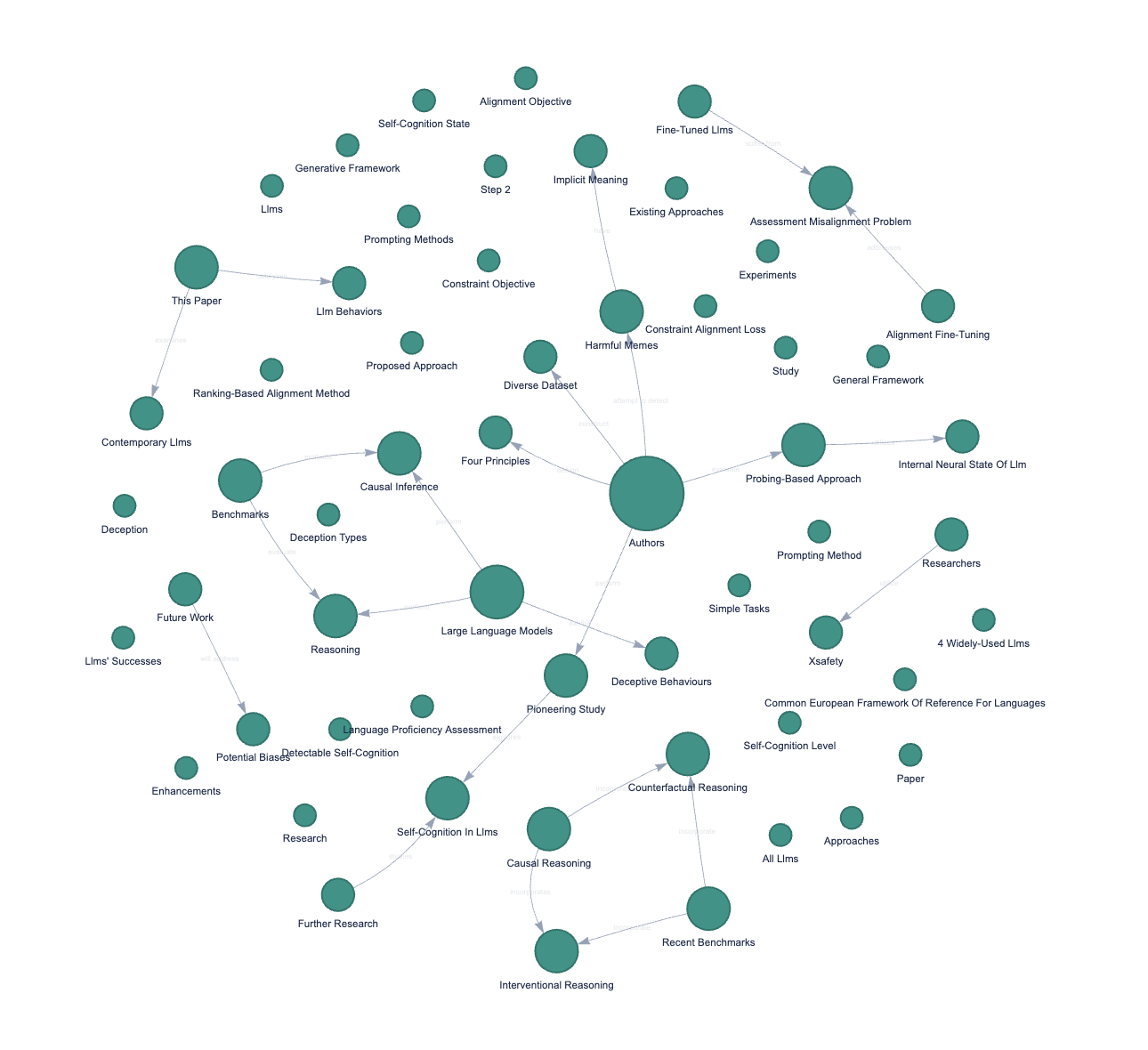
I built arxiv-knowledge-graph to surface them. The app fetches research paper abstracts from ArXiv, uses Claude to extract entities and relationships, and renders the result as an interactive network you can explore in your browser.
 |
|
 |
|
 |
 |
In this post, I’ll walk through how it works, the key technical decisions I made, and what I learned along the way.
The pipeline
The application has four stages, each handled by a separate module:
- Fetch paper metadata from the ArXiv API (
arxiv_fetcher.py) - Extract knowledge triples from each abstract using Claude (
triple_extractor.py) - Build a directed graph with NetworkX (
graph_builder.py) - Visualize the graph with Pyvis, served through Streamlit (
visualizer.py+app.py)
This separation made testing straightforward. Each module has a single responsibility and a clean interface: the fetcher returns dataclasses, the extractor returns tuples, the builder returns a graph object, and the visualizer returns HTML. No module needs to know about the others’ internals.
Fetching papers from ArXiv
ArXiv provides a free API that returns Atom XML. The fetcher sends a query, parses the response, and returns a list of ArxivPaper dataclasses:
@dataclass
class ArxivPaper:
    title: str
    authors: list[str]
    abstract: str
    arxiv_id: str
One thing I ran into early: ArXiv returns titles and abstracts with inconsistent whitespace (newlines in the middle of sentences, extra spaces). A quick normalization pass fixes this:
title = entry.find("atom:title", ns).text.strip()
title = " ".join(title.split())  # collapse all whitespace to single spaces
Without this, the same concept could appear as two different nodes in the graph just because of a line break in one paper’s title.
Extracting knowledge triples with Claude
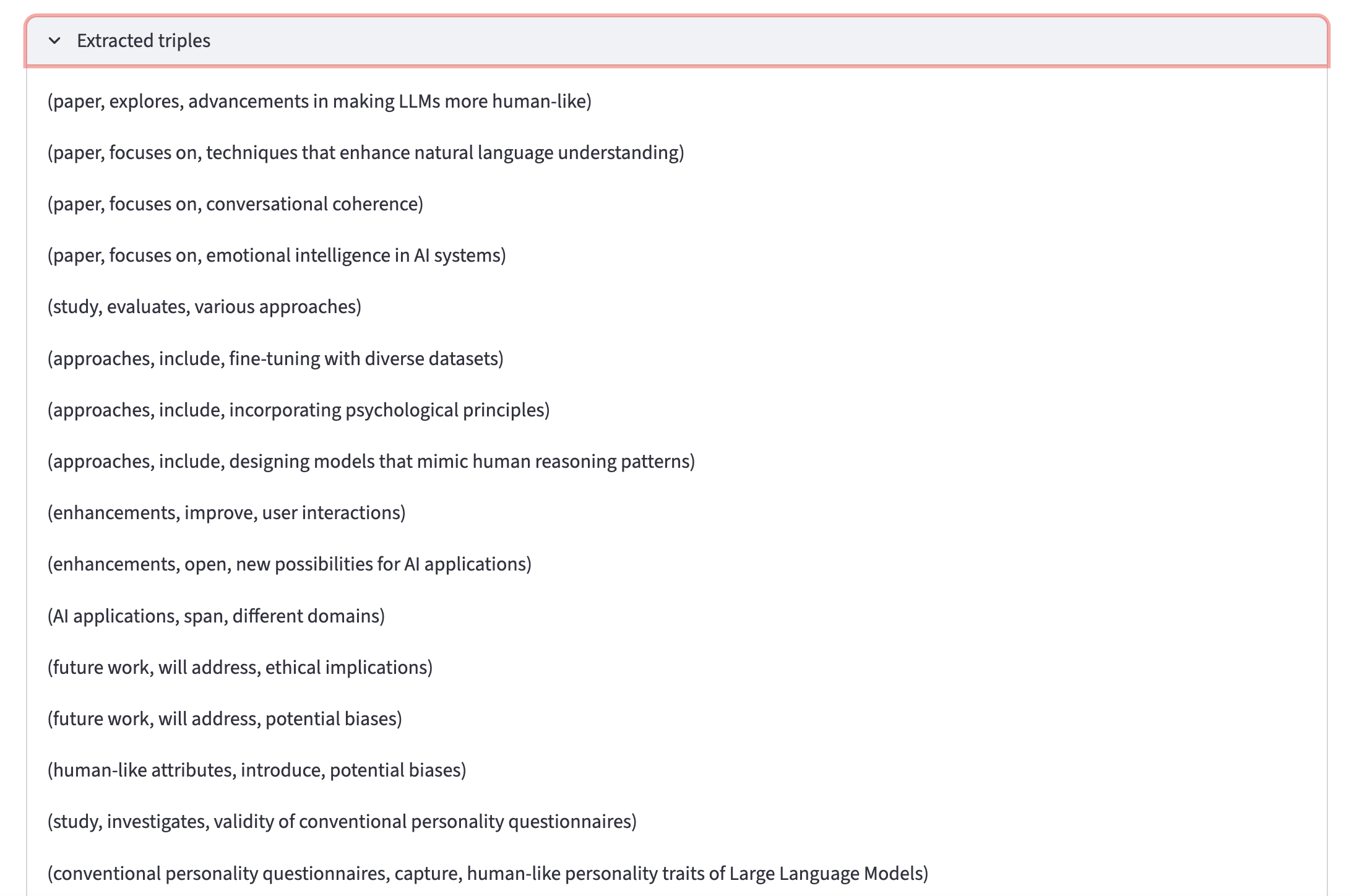
This is the core of the project. Each abstract gets sent to Claude with a prompt that instructs it to extract knowledge triples: (subject, predicate, object) tuples representing relationships in the text.
The prompt uses few-shot examples to show Claude the exact format:
EXTRACTION_TEMPLATE = """You are a research knowledge extraction system.
Extract all knowledge triples from the given research paper abstract.
A knowledge triple has the form: (subject, predicate, object)

Rules:
- Subjects and objects should be concise noun phrases (concepts,
  methods, datasets, metrics, or researchers).
- Predicates should be short verb phrases describing the relationship.
- Extract ALL meaningful relationships, including:
  - "X proposes Y", "X outperforms Y", "X is based on Y"
  - "X achieves Y", "X is applied to Y", "X extends Y"
  - Author relationships: "Author proposes Method"
- Separate each triple with the delimiter: {delimiter}
- If no triples can be extracted, output: NONE

EXAMPLE
Abstract: We introduce BERT, a new language representation model.
BERT is designed to pre-train deep bidirectional representations.
It obtains state-of-the-art results on eleven NLP benchmarks.

Output: (BERT, is a, language representation model)<|>(BERT,
uses, deep bidirectional representations)<|>(BERT, achieves
state-of-the-art on, NLP benchmarks)
END OF EXAMPLE
...

Now extract triples from this abstract:

Title: {title}
Abstract: {abstract}

Output:"""
Why few-shot prompting matters here
I experimented with zero-shot prompts first (“extract all knowledge triples from this text”). The results were inconsistent: sometimes Claude returned JSON, sometimes bullet points, sometimes prose explanations with triples buried inside. The few-shot examples solved this by anchoring the output format. Claude sees exactly what a good response looks like, including the delimiter, the parenthesis style, and the level of granularity for entities.
This is a pattern I keep seeing in LLM work: investing time in prompt structure pays off more than tweaking temperature or model parameters.
The chain
I used LangChain’s LCEL (LangChain Expression Language) syntax to compose the chain:
from langchain_anthropic import ChatAnthropic
from langchain_core.prompts import PromptTemplate
from langchain_core.output_parsers import StrOutputParser

def build_extraction_chain(llm=None):
    if llm is None:
        llm = get_llm()
    prompt = PromptTemplate(
        input_variables=["title", "abstract", "delimiter"],
        template=EXTRACTION_TEMPLATE,
    )
    return prompt | llm | StrOutputParser()
The pipe syntax (prompt | llm | StrOutputParser()) composes naturally and is the current recommended approach in LangChain. The older LLMChain class still works but is deprecated. The StrOutputParser ensures we get a plain string back rather than a message object.
Invoking the chain uses .invoke() rather than the older .run() method:
raw = chain.invoke({
    "title": title,
    "abstract": abstract,
    "delimiter": KG_DELIMITER,
})
Parsing the output
Claude’s output is a delimiter-separated string of triples. The parser uses regex to handle the expected format while being forgiving about whitespace and occasional malformed segments:
def parse_triples(raw_output: str) -> list[tuple[str, str, str]]:
    if not raw_output or raw_output.strip() == "NONE":
        return []

    triples = []
    pattern = r"\(([^,]+),\s*([^,]+),\s*([^)]+)\)"

    for segment in raw_output.split(KG_DELIMITER):
        segment = segment.strip()
        match = re.search(pattern, segment)
        if match:
            subj = match.group(1).strip()
            pred = match.group(2).strip()
            obj = match.group(3).strip()
            if subj and pred and obj:
                triples.append((subj, pred, obj))

    return triples
I kept this as regex rather than asking Claude to return JSON. The triple format is simple enough that regex is reliable, and it avoids the overhead of JSON parsing plus the risk of Claude wrapping the JSON in markdown code fences (which happens more often than you’d expect).
Building the graph
The graph builder takes a flat list of triples and constructs a NetworkX directed graph. The key decision here was normalization:
for subj, pred, obj in triples:
    subj_norm = subj.strip().title()
    obj_norm = obj.strip().title()
    G.add_node(subj_norm)
    G.add_node(obj_norm)
    G.add_edge(subj_norm, obj_norm, label=pred.strip())
Title-case normalization means “BERT”, “bert”, and “Bert” all become “Bert” and collapse into one node. This is a rough heuristic. A production system would use proper entity linking (mapping to Wikipedia or a domain ontology). But for a project exploring cross-paper connections, it works well enough and keeps the code simple.
The module also includes a filter_graph_by_degree function that strips out loosely connected nodes:
def filter_graph_by_degree(G: nx.DiGraph, min_degree: int = 2) -> nx.DiGraph:
    nodes_to_keep = [
        n for n, d in G.degree() if d >= min_degree
    ]
    return G.subgraph(nodes_to_keep).copy()
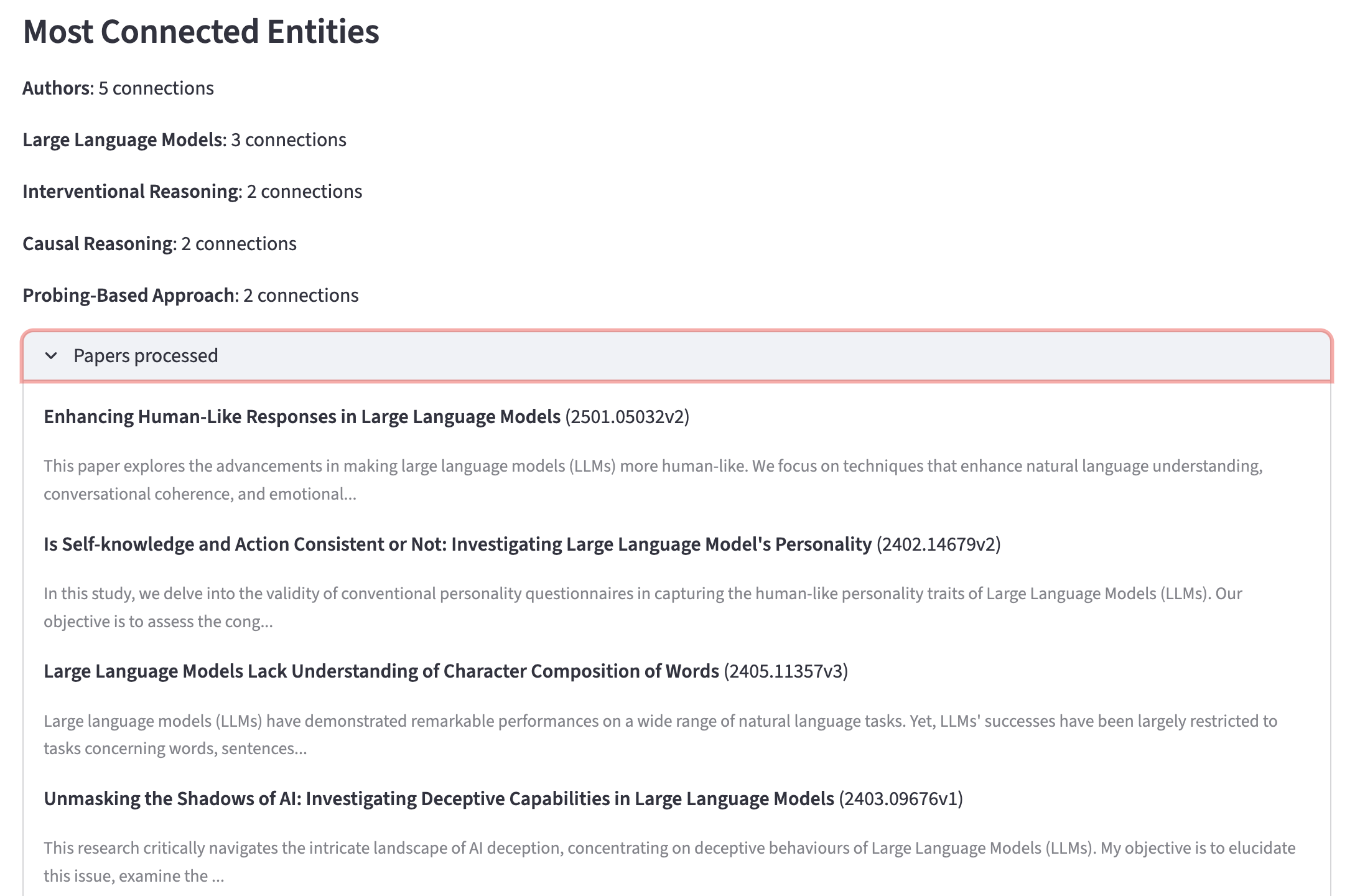
When you process 10+ papers, the graph gets noisy with one-off entities. Filtering to nodes with 2+ connections surfaces the concepts that actually span multiple papers, and those are where the interesting patterns live.
Visualization
Pyvis generates interactive HTML visualizations from NetworkX graphs. I made two visual choices that help readability:
Node sizing by degree. Central concepts like “Transformer” or “Self-Attention” appear physically larger because they have more connections. The formula scales linearly from a base size of 15 up to 50:
degrees = dict(G.degree())
max_deg = max(degrees.values()) if degrees else 1

for node in G.nodes():
    size = 15 + (degrees[node] / max_deg) * 35
    net.add_node(node, label=node, size=size, color="#0D9488", ...)
ForceAtlas2 layout. The default Pyvis physics can be chaotic. ForceAtlas2 produces cleaner layouts where tightly connected clusters group naturally:
net.set_options("""
{
    "physics": {
        "forceAtlas2Based": {
            "gravitationalConstant": -50,
            "centralGravity": 0.01,
            "springLength": 200
        },
        "solver": "forceAtlas2Based"
    }
}
""")
The render_to_html function saves the graph to an HTML file and returns the HTML string, which Streamlit can embed directly using st.components.v1.html.
The Streamlit app
The frontend ties everything together. A few things worth highlighting:
Chain reuse. The extraction chain is built once per query, then passed to each extract_triples call. This avoids reinitializing the LLM client for every paper:
chain = build_extraction_chain()
all_triples = []

for i, paper in enumerate(papers):
    triples = extract_triples(paper.title, paper.abstract, chain=chain)
    all_triples.extend(triples)
Session state. Streamlit reruns the entire script on every interaction. Without st.session_state, the graph would disappear when a user adjusts the degree filter slider. Storing the graph, papers, and triples in session state keeps them persistent across reruns:
if "graph" not in st.session_state:
    st.session_state.graph = None
Embedding Pyvis. Pyvis generates a self-contained HTML file with embedded JavaScript. Streamlit’s components.html renders it inline:
net = create_pyvis_graph(G_display, physics=use_physics)
html = render_to_html(net, "temp_graph.html")
components.html(html, height=620, scrolling=True)
This is one of the reasons I chose Streamlit over a terminal-only script. The interactive graph exploration (drag nodes, zoom into clusters, hover for edge labels) is the core value of the project, and it would be lost without a frontend.
What I learned
Prompt structure is the highest-leverage investment. The difference between a zero-shot prompt and a two-example few-shot prompt was dramatic. With zero-shot, I got inconsistent formats and had to write brittle parsing logic. With few-shot, the output was stable enough that a single regex handles it reliably.
Normalize early. Entity normalization (even something as simple as title-casing) makes a huge difference in graph quality. Without it, you get a fragmented graph with duplicate nodes that should be connected.
Separate the chain from the parser. Keeping parse_triples as a standalone function (not coupled to the LLM chain) meant I could unit test it thoroughly without needing an API key. The same pattern applies broadly: put your deterministic logic in testable functions, and keep the LLM interaction surface as thin as possible.
LCEL over LLMChain. If you’re following older LangChain tutorials (and there are a lot of them), you’ll see LLMChain and chain.run() everywhere. These still work but are deprecated. The pipe syntax (prompt | llm | parser) is the current path and composes more cleanly.
What’s next
A few extensions I’m considering:
- Entity linking with embeddings to merge “Large Language Models” and “LLMs” into one node
- Community detection using NetworkX’s Louvain algorithm to identify research sub-clusters
- Temporal coloring based on publication year to visualize how the field has evolved
The code is on GitHub if you want to try it out or build on it.
